Showing posts with label web tools. Show all posts

Tuesday, February 18, 2014

'Word Clouds' on steroids

Learning lots and lots of new vocabulary can be overwhelming for language learners. Vocabulary is an important part of language learning, however, memorising long lists of new words is not always the best way to go. Most learners have better recall of information they have used, explored and made connections with. When students are excited and involved with their learning they are able take on and retain more new information.

Word clouds have been around for a while and can be quite engaging for students. Many language teachers successfully use ‘word clouds’ to introduce, reinforce and review vocabulary. Some of the most popular tools are Wordle, Tagxedo, Wordsift and Tagul. My personal favourite is Tagul and I will explain why later in this post.

The embedded slideshare presentation by David Dodgson contains succinct information about using word clouds in the language learning classroom

What is a word Cloud?


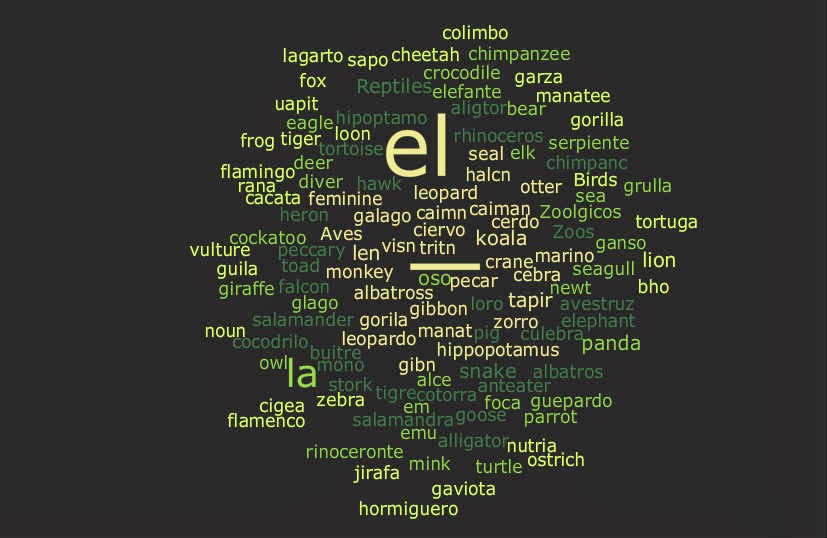
I am a believer in the addage a picture's worth a thousand words. Hence, rather than describing the tools for you, I have created and embedded some word clouds so that you can be the judge!


 And last but not least

Tagul is an amazing word cloud creator which allows you to customise the shape of your tag clouds and insert active hyperlinks. When you create a word cloud with Tagul all the words are automatically linked to a Google search however you are able to add your own link to any word and link to any pages or content on the web. Tagul will create word clouds from entered text or any url you specify.

I created the tagul above using the names of animals in Spanish. I played with customising the hyperlinks. Most of the words are linked to a wikimedia search but it is also possible to enter specific links for individual words. In the embedded example the links to some words are customised to lead to specific websites. Check out el leon, el antelope, el oso, el gato and la mariposa, to see how the links work. Shell Terrel has written a great post in her blog Teacher Reboot Camp about using tag clouds to reinforce vocabulary. Her post gives detailed instructions on how to customise the hyperklinks of tags in Tagul.

When you have finished designing your word cloud Tagul provides you with an embed code to put your cloud on your blog.
To get started you may like to use the step by step instructions by Modern Educator in the video below


Thursday, July 18, 2013

Storybird

Storybird allows students to make and share beautiful story books within minutes, on any sort of device. Students select images from a comprehensive gallery of artwork contributed by illustrators and animators from around the world, then add their own text. The site’s ease of use means students are focused on their writing skills, not on the technology. The stories can be embedded in blogs, emailed to parents or shared with classmates.
Note: European characters can be entered using the ALT codes. Storybird does not accept scripted languages.
It’s free to sign up, and the site is accessible for all DEC students K-12.
You can also find support and see a range of Storybirds already created by students of Languages at: http://mfl-storybirds.wikispaces.com/

Thursday, May 9, 2013

Image Chef


Image Chef enables students to create a range of short texts, including:
• visual poetry
• photo frames (e.g. vinyl album covers, ‘Wanted’ posters, billboards)
• fun and friendship texts (e.g. fortune cookies, number plates).
It takes foreign characters, using ALT codes, and also takes Chinese and Japanese script (no Korean – sorry!). Why not have a little explore, and see how you could use it? As always, check before using with students.

Wednesday, September 28, 2011

ToonDoo

ToonDoo is an online comic-creating tool. You can sign up for free, or pay for an educational version.

To create comics in foreign languages, simply choose the text bubble that looks like this:

Find these and other great manga style characters under the 'special' tab (indicated by stars) in the ToonDoo maker.
This site also has the option to create your own cartoon characters, called TraitR. What a fun way to explore describing what people look like in other languages. Students could create their own characters, then describe what they look like, or create a character from the description the teacher provides. Students could use it for self decsription too, as you can upload a photo as a reference - I had lots of fun creating a cartoon of myself!

Tuesday, September 27, 2011

Kerpoof

Kerpoof is a suite of online multimedia software to create original artwork, animated movies, stories, greeting cards and more. It is owned by the Walt Disney company and has a section dedicated for educators. Check out the teachers’ guide, provided lesson plans or dive straight in at http://www.kerpoof.com/

Scripted languages work in Make a movie and Make a picture but not in the other sections. However, you can use the pencil in Tell a story to draw the script and use the text box below to enter the meaning – a nice way for students to build their own kanji/hanzi reference book. You can also use script by using Create a doodle in Make a card to draw your message using the pen.